Understanding Stay Settings
Stay Settings let you tune minimum-night requirements by how far out a booking is, and recover orphan gaps between reservations.
Accessing Stay Settings
1
Open the left-side menu bar.
2
Click the Price & Stay dropdown.
3
Select the level to apply the stay adjustment to.
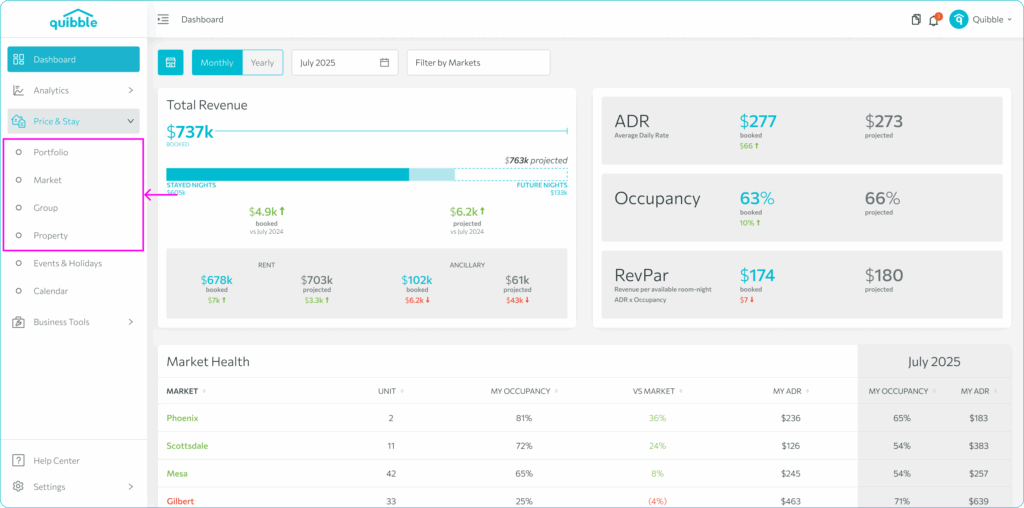
Control runs through six levels, from lowest to highest priority: Portfolio, Market, Group, Event, Property, and Override.
Configuring stays
1
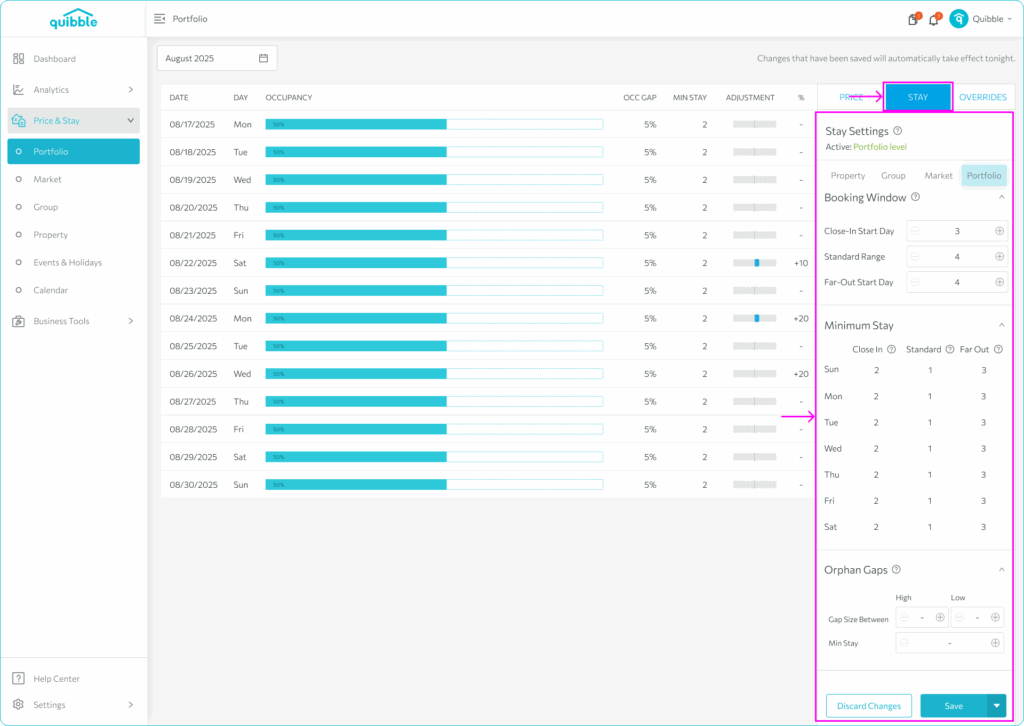
Choose the Stay tab from the right-side menu.
2
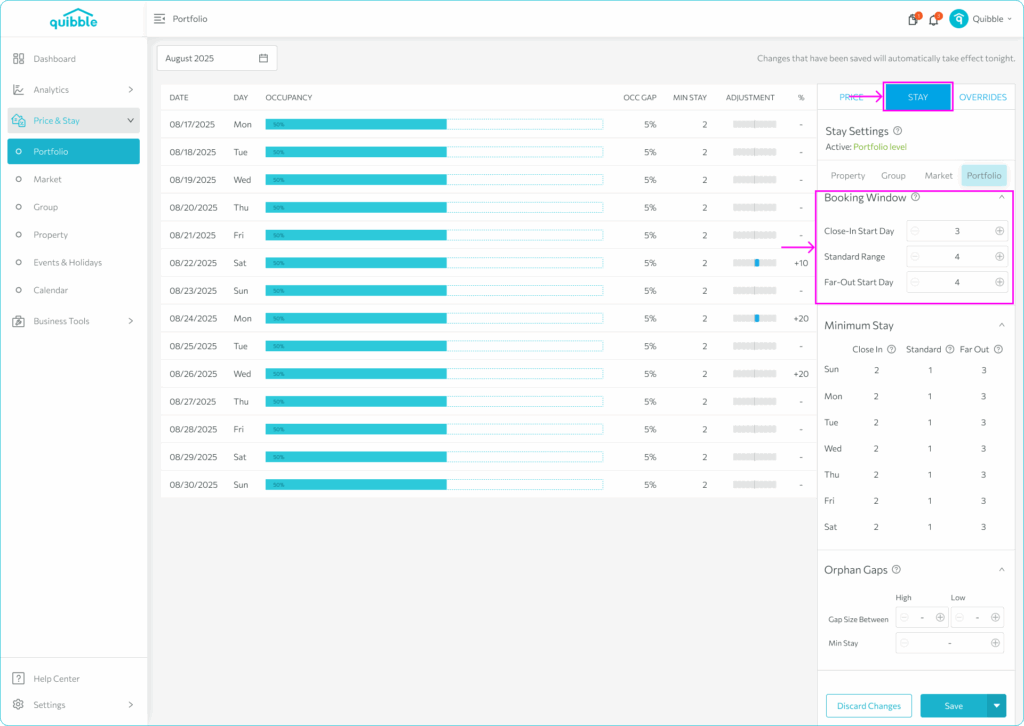
Set the Booking Window — Close In (last-minute), Standard (intermediate), or Far Out (advance).
3
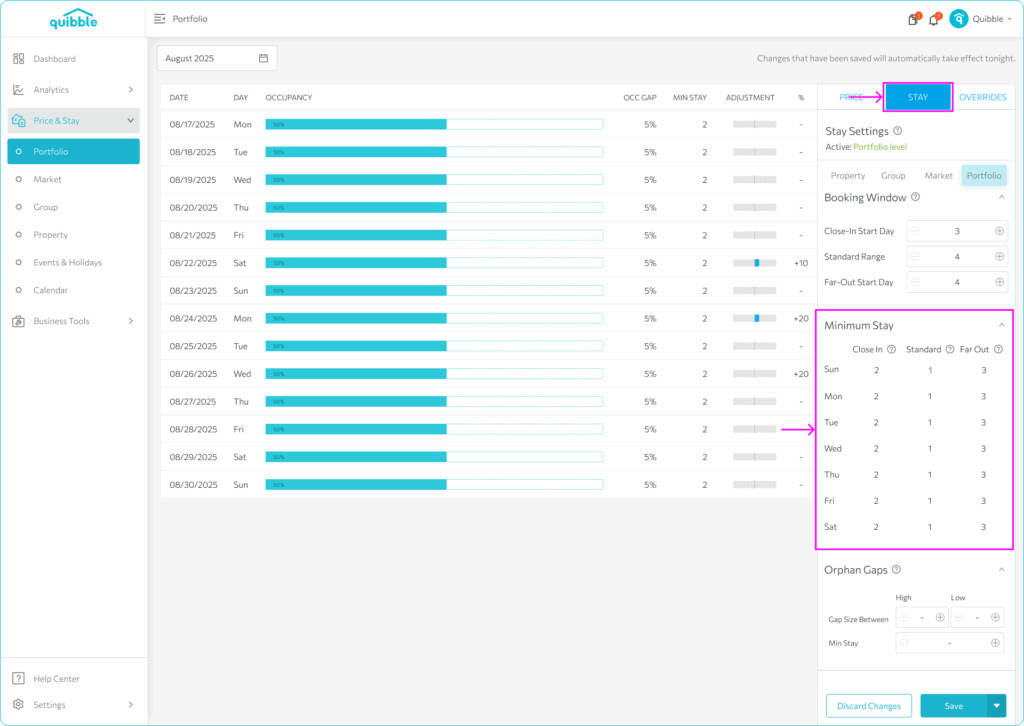
Set the Minimum Stay for each booking window.
4
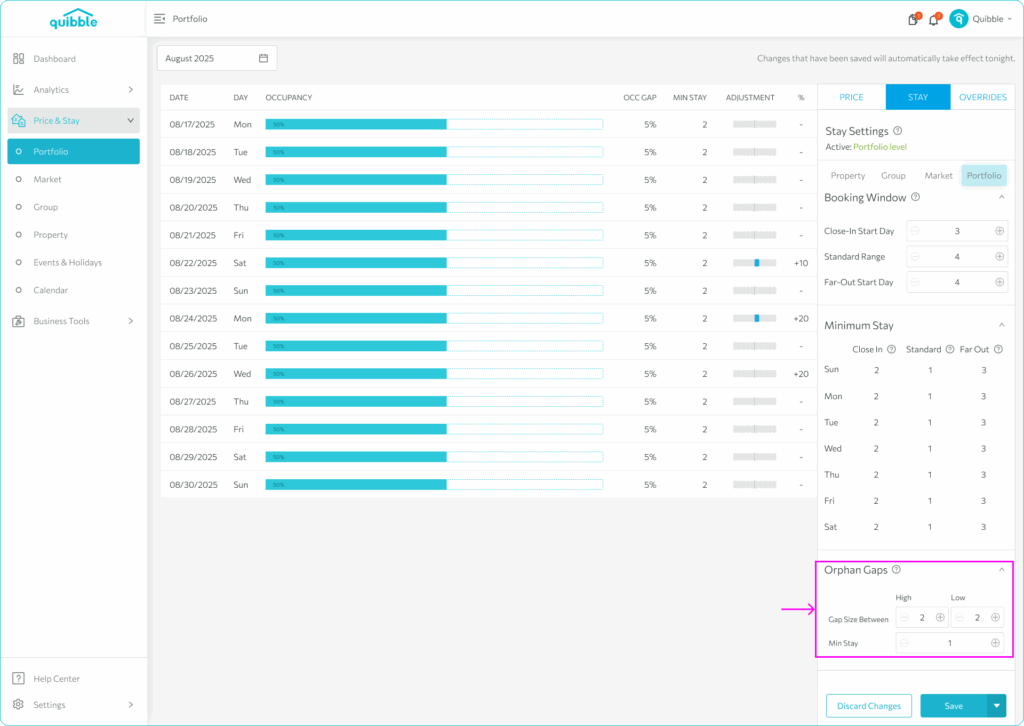
Set Orphan Gaps — define gap-size ranges and the minimum stay that fills them.
Didn’t find what you needed? Contact us.