What is Rates Advisor and how do I use it?
Rates Advisor offers actionable pricing recommendations to help optimize property revenue.
1
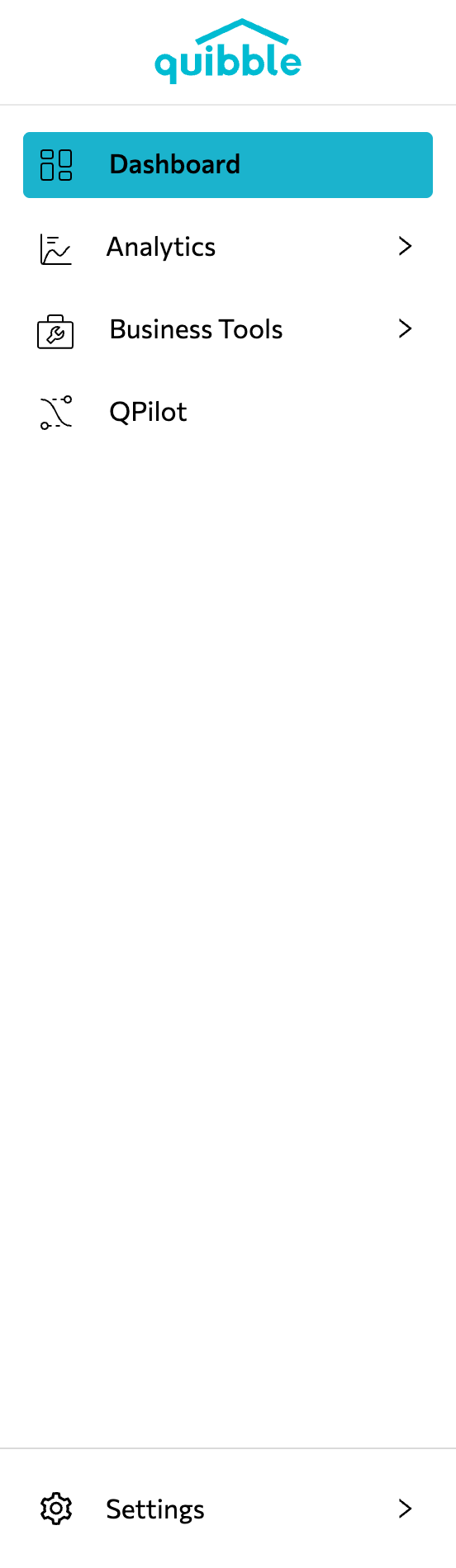
Open the left-side menu bar.
2
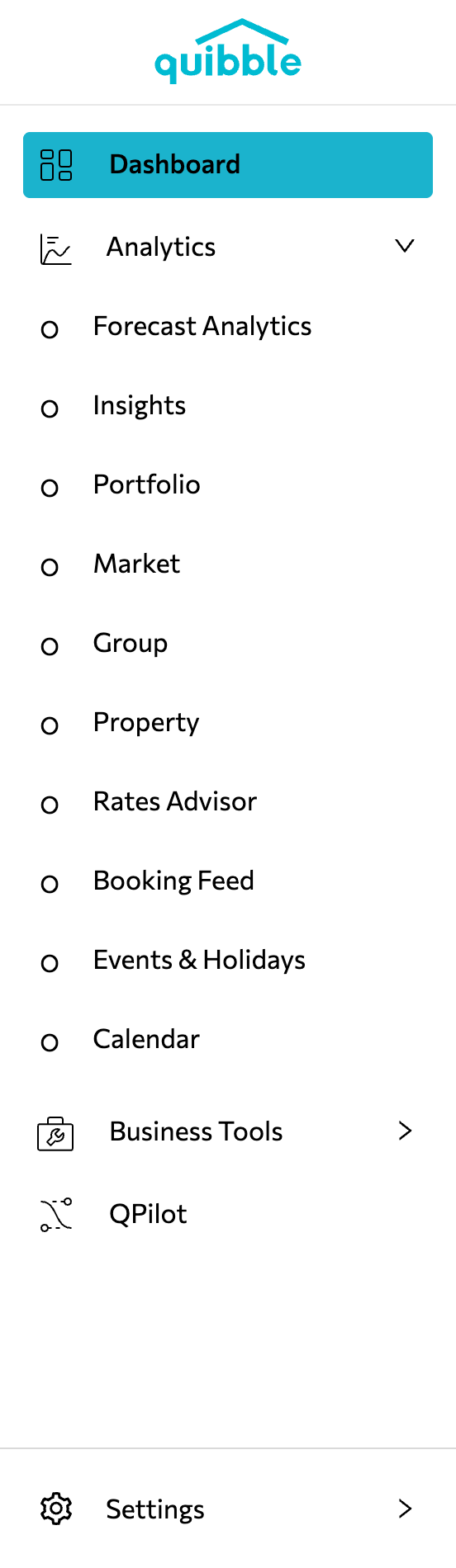
Click the Analytics dropdown and select Rates Advisor.
3
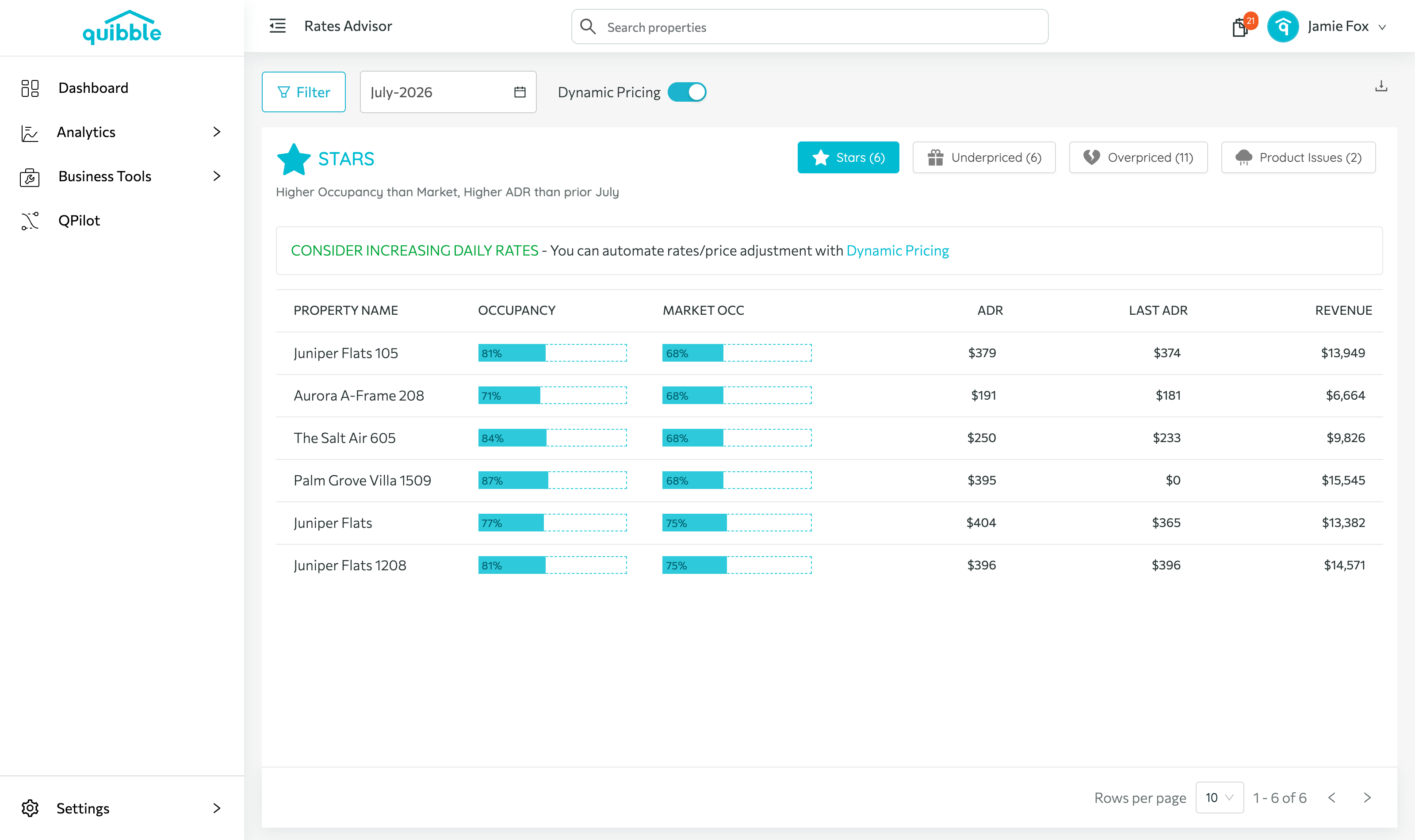
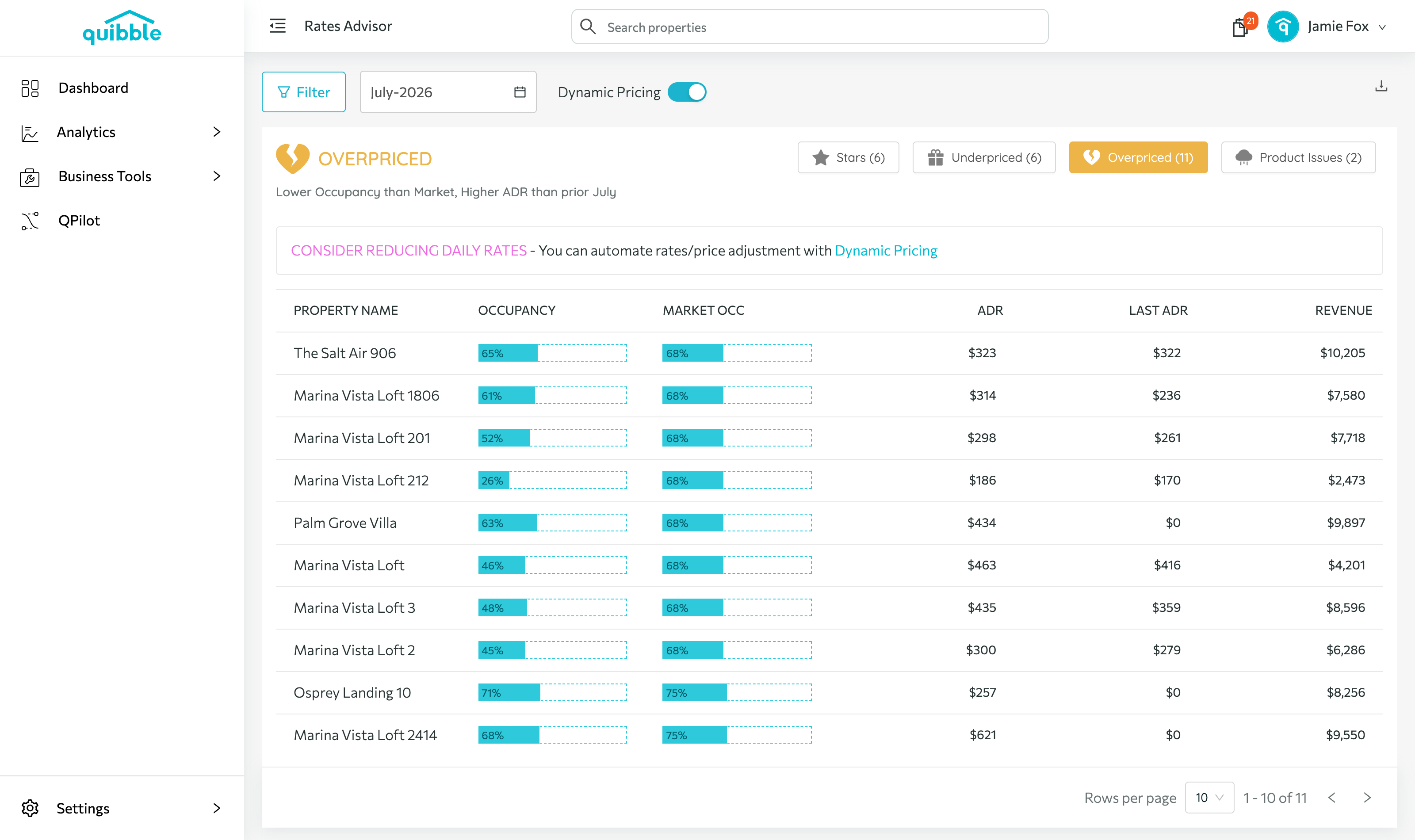
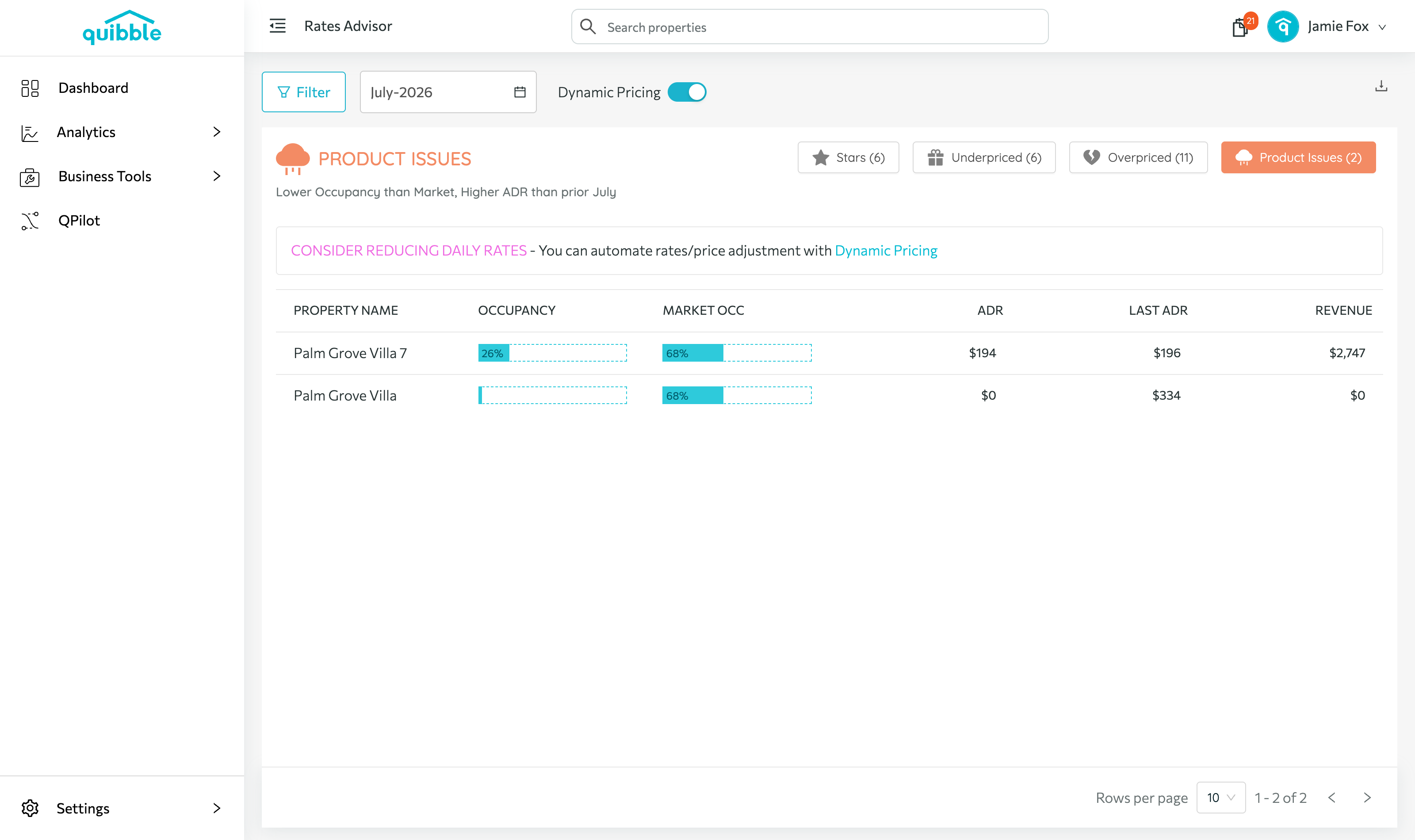
Properties are sorted into four buckets — Stars, Underpriced, Overpriced, and Product Issues — each with a recommendation, like increasing daily rates for your Stars.
4
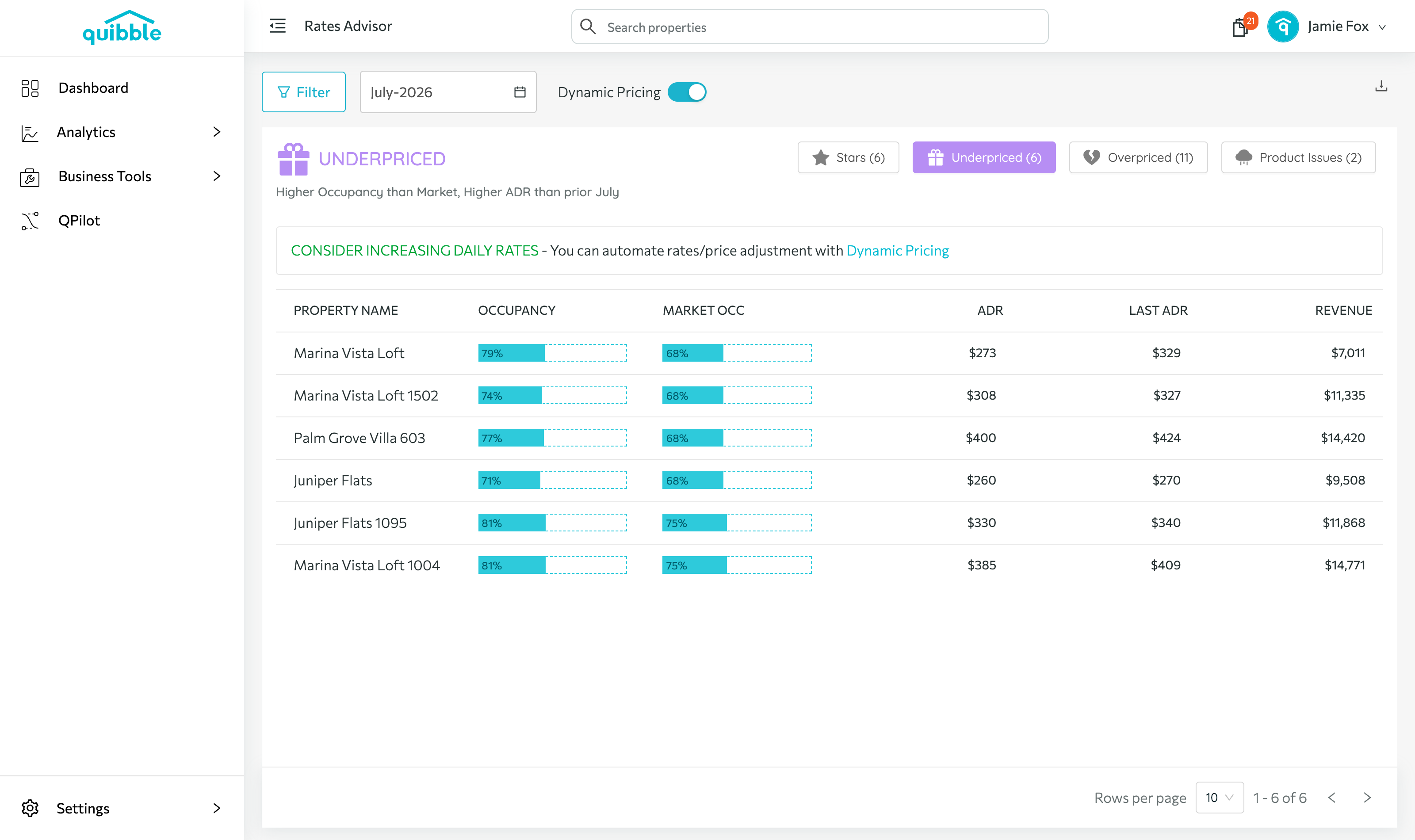
Click through each bucket to review the affected properties, their occupancy versus the market, ADR, and revenue.
Didn’t find what you needed? Contact us.