Have you activated this property in Hostfully?
If a Hostfully property isn’t syncing, confirm it’s activated for Quibble in your Hostfully integration settings.
1
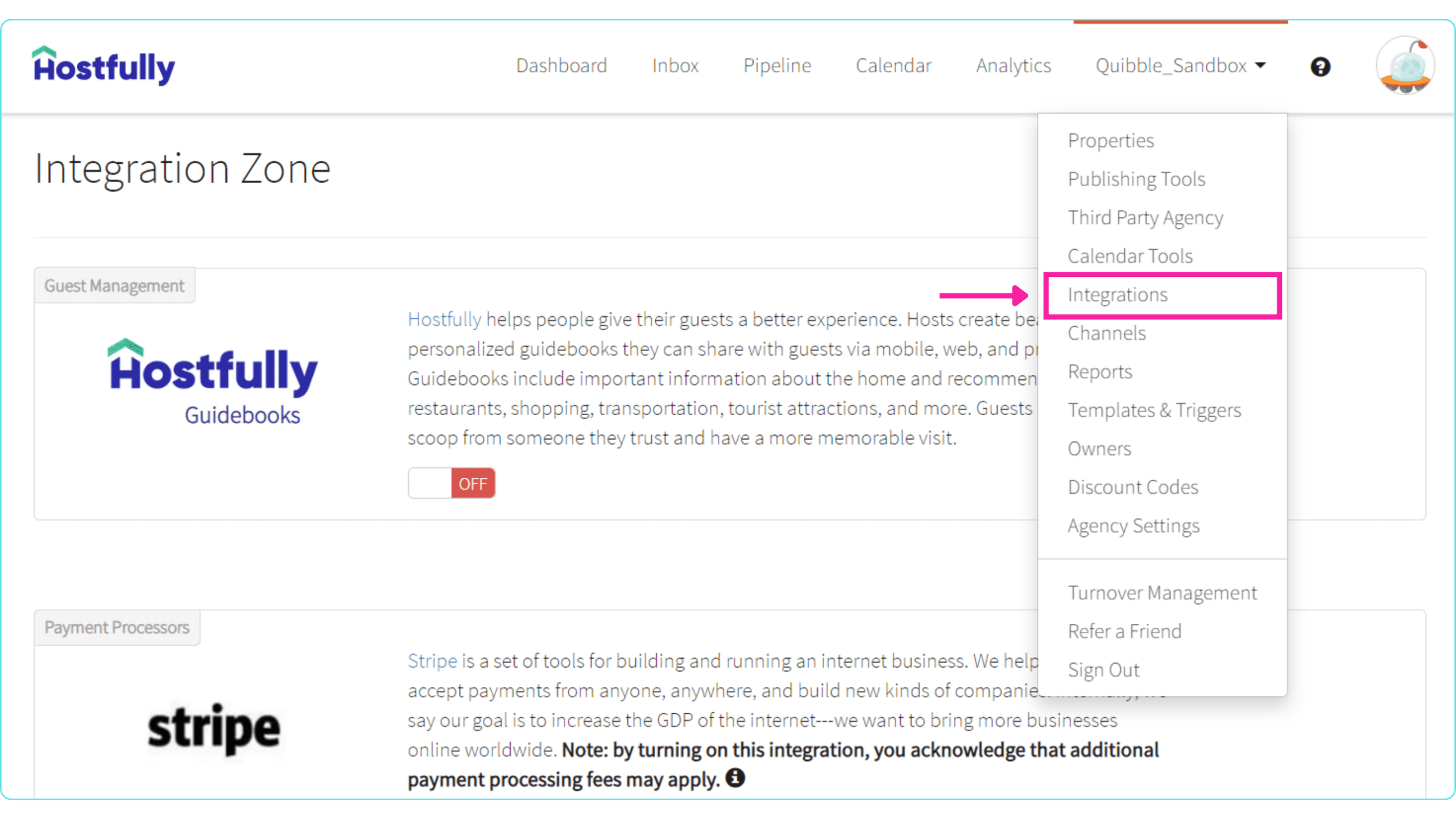
In Hostfully, open the Integrations page from the main menu.
2
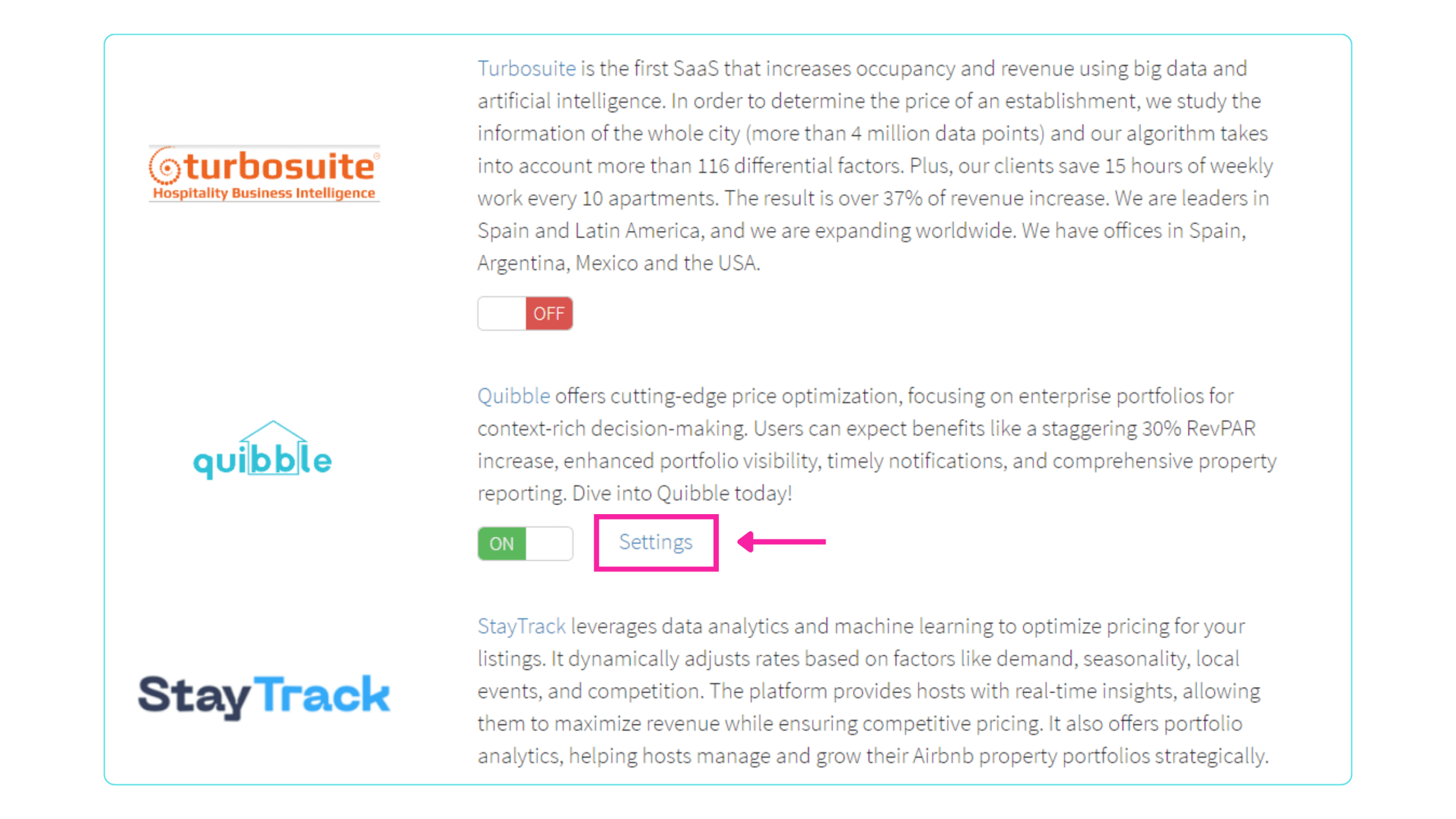
Find the Dynamic Pricing Tools section, locate Quibble in the list, and select Settings.
3
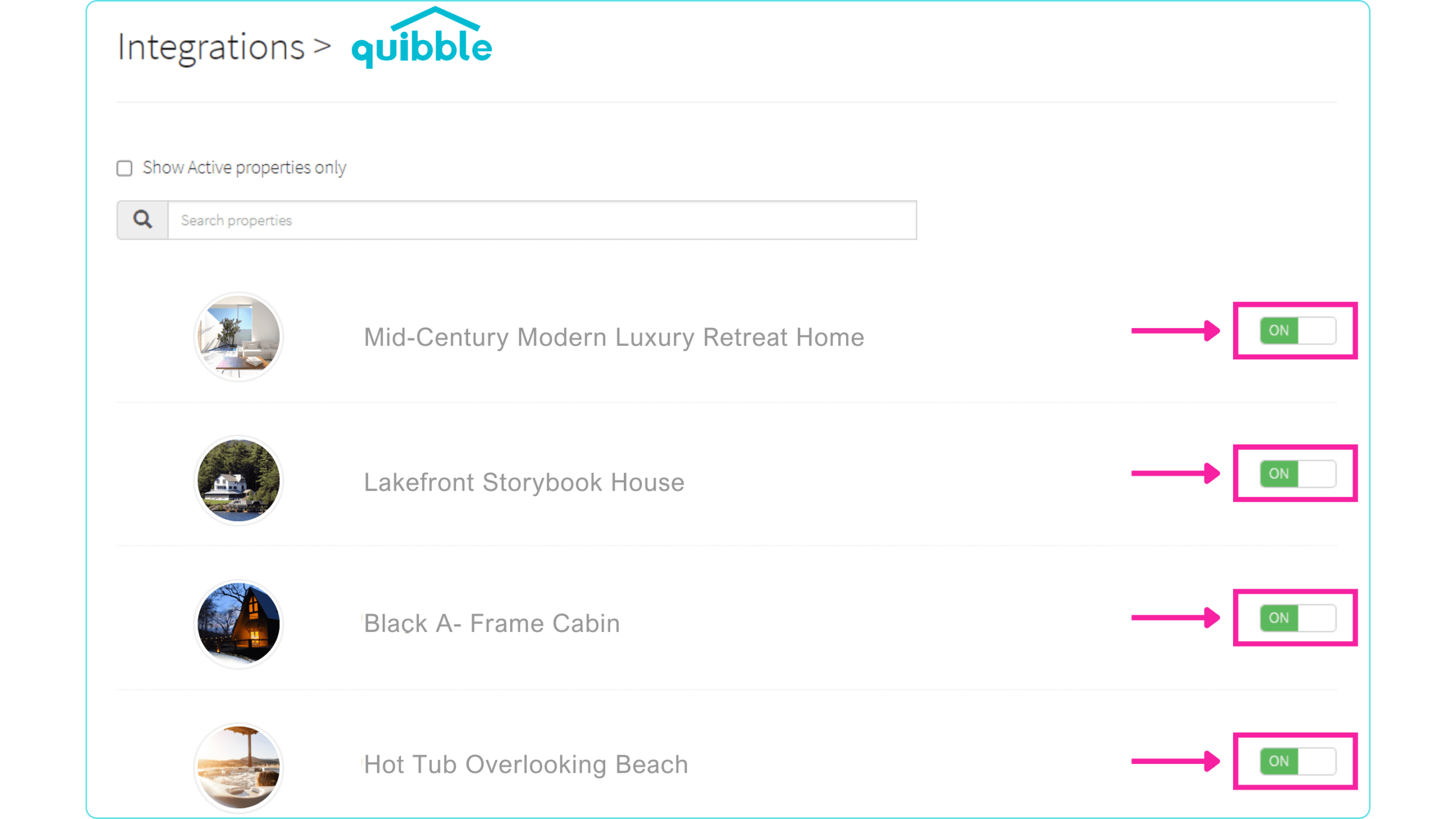
Verify that the listing is turned on.
Didn’t find what you needed? Contact us.